BUILD YOUR BUSINESS TECH STACK
Choose Technology That Fits the Way Your Business Works
Business technology should make your work easier to understand, manage, and improve—not give you another collection of systems to maintain.
Explore practical guidance for understanding what belongs in your tech stack, choosing tools based on the jobs they need to do, connecting them wisely, and deciding when another platform is worth the cost, complexity, and responsibility it adds.
01
CHOOSE TECHNOLOGY WITH INTENTION
The right tool is not necessarily the one with the most features. It is the one that solves the right problem without creating unnecessary complexity.
Better Tools Begin with Better Decisions
Business tools can save time, improve communication, protect important information, and make everyday work easier to manage. But adding more software does not automatically create a more organized or effective business.
The better starting point is not asking which platform is most popular. It is identifying the specific problem, responsibility, or process that needs better support.
A useful tool should fit the way the business operates, be understandable to the people using it, and provide enough value to justify its cost, maintenance, and learning curve.
Choosing thoughtfully also means considering security, integrations, customer support, overlap with tools you already have, data ownership, exit options, future needs, and whether the tool will simplify the business—or quietly create another system you have to manage.
When technology is chosen with intention, it can strengthen the business without allowing the technology itself to become the strategy.
Simplify the Work
Choose tools that reduce effort, organize information, and make responsibilities easier to manage.
Protect What Matters
Consider security, privacy, reliability, access controls, backups, and the information each platform will hold.
Support Sustainable Growth
Select systems that can continue serving the business as responsibilities, customers, and operational needs increase.
TOOLS FOR THE WORK BEHIND THE BUSINESS
Four Areas Your Business Tech Stack Needs to Support
Business technology serves different parts of the business. Some tools help you attract and serve customers, while others support the administrative work, content production, infrastructure, and protection happening behind the scenes.
Thinking in categories makes it easier to identify what the business actually needs before comparing platforms. Start with the responsibility or workflow that needs better support, then choose technology that fits that job. This matches the framework used in the finished guide.
01 · CUSTOMER JOURNEY & REVENUE
Attract, Serve, and Stay Connected
Choose tools that help people discover the business, become known contacts, communicate with you, schedule, purchase, and receive consistent follow-up.
A connected customer-facing system can reduce missed opportunities and make it easier to understand where someone is in the relationship—from first contact through the sale and beyond.
CUSTOMER-FACING SYSTEMS
02 · BUSINESS ADMIN & OPERATIONS
Organize the Work Behind the Business
Use dependable systems for professional email, accounting, expenses, files, records, projects, tasks, and the everyday responsibilities that keep the business organized.
Giving important information and recurring work a clear home reduces scattered files, duplicate effort, missed details, and unnecessary dependence on memory.
BACK-OFFICE SYSTEMS
03 · CONTENT & VISIBILITY
Create and Manage What People See
Choose tools that support planning, writing, design, recording, editing, repurposing, publishing, and the content that helps people discover and understand your business.
The goal is not to collect creative software. It is to build a practical production workflow that helps you create useful content consistently without making every project more complicated than it needs to be.
CONTENT & CREATIVE WORKFLOWS
04 · INFRASTRUCTURE & PROTECTION
Protect and Support the Business
Consider the less-visible systems behind the work—domains, DNS, hosting, security, privacy, access controls, backups, identity protection, legal access, and recovery.
These tools may not be customer-facing, but they help protect important information, keep essential systems dependable, and give the business a stronger foundation as its responsibilities grow.
INFRASTRUCTURE & BUSINESS PROTECTION
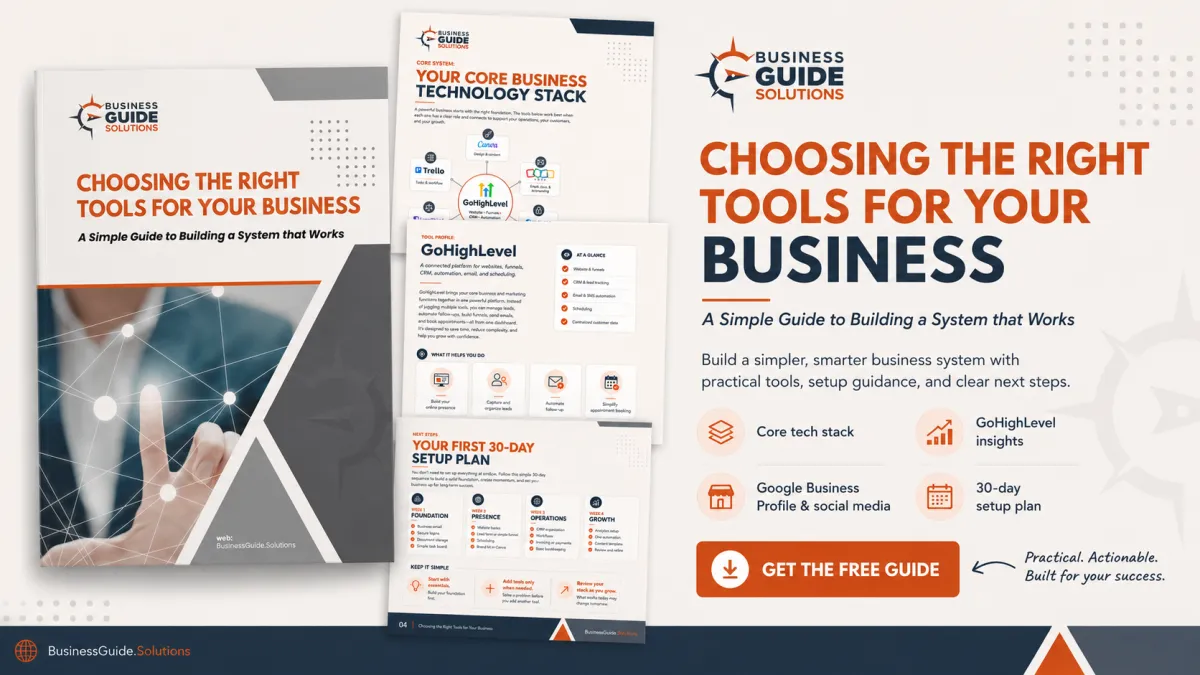
FREE BUSINESS TECH STACK GUIDE
Find the Tools That Fit the Way Your Business Works
With so many platforms available, it can be difficult to know which tools are genuinely useful, which overlap with something you already have, and which may simply add more cost, confusion, or complexity.
Build Your Business Tech Stack goes beyond software recommendations. It helps you understand what a tech stack actually is, how to build it around the work your business needs to do, how the pieces should connect, and how to decide whether another tool deserves a place in the system.
You will also see how I have structured the BusinessGuide.Solutions stack, why different tools earned different jobs, where specialized platforms make sense, what I am considering for future needs, and how to review your own stack as the business changes.
A practical guide to choosing the right tools, connecting them wisely, and building a system that works.
What the Guide Helps You Evaluate
Look beyond feature lists and compare technology based on the needs, responsibilities, risks, and realities of your business.
01 · BUSINESS NEED
What Problem the Tool Should Solve
Identify the job, responsibility, risk, or recurring friction the technology needs to improve.
02 · FIT & OVERLAP
How the Tool Fits the Existing System
Consider who will use it, where it belongs in the workflow, and whether something you already have can perform the same job.
03 · COST & VALUE
What the Tool Will Truly Require
Look beyond the subscription price to setup, migration, training, add-ons, integrations, maintenance, and the time the system requires.
04 · PROTECTION & EXIT
How the Tool Protects What Belongs to the Business
Review security, permissions, backups, data ownership, support, recovery, and whether you can export your information if you eventually leave.
Build Your Business Tech Stack offers a practical starting point—not a one-size-fits-all software list. The better choice depends on your business needs, budget, security requirements, team, existing systems, and how the technology needs to work together.
Get Build Your Business Tech Stack Delivered to Your Inbox
Enter your information below to receive the free guide and begin evaluating business technology with greater clarity.
CHOOSE BEFORE YOU COMMIT
A Simple Way to Evaluate Business Tools
A new platform should solve a defined problem, fit the way your business operates, and provide enough value to justify the cost, complexity, and responsibility it adds.
Use this three-step process before subscribing, moving important information, or introducing another system into the way your business works.
01
Define the Need
Identify the exact task, responsibility, risk, or recurring problem the tool should address before researching specific platforms or comparing features and pricing.
Write down what should improve, who will use the tool, and what a successful solution should make easier, faster, safer, or more dependable in everyday business use.
02
Check the Fit and Trade-Offs
Compare the capabilities you genuinely need along with usability, cost, support, security, integrations, and how well the platform fits your actual workflow.
Look for overlap with tools you already have, consider what information will live there, and make sure the added value justifies another system to maintain.
03
Test Before You Commit
Use a trial, demonstration, or limited rollout whenever possible before moving important information or changing an established process across the wider business.
Testing with a realistic task can reveal hidden limitations, training needs, confusing workflows, unexpected costs, or poor fit before the business becomes dependent on the tool.
A useful tool should earn its place by solving meaningful friction without creating more cost, confusion, risk, or upkeep than the problem it was chosen to solve.
CHOOSE THE LEVEL OF SUPPORT YOU NEED
Start with the Tech Stack Guide. Go Deeper into the Business When You Need To.
Build Your Business Tech Stack helps you think through the technology behind your business—what jobs need support, how tools should fit together, what another platform will really require, and whether it deserves a place in the system.
When you want broader guidance for the decisions, systems, marketing, finances, growth, and leadership surrounding that technology, continue with the Guide and The Entrepreneur’s Toolkit.
FREE TECH STACK GUIDE
Build Your Business Tech Stack
Use this guide to understand the technology your business relies on, evaluate new tools more thoughtfully, reduce unnecessary overlap, and build a connected system around the work you actually need to do.
The guide helps you evaluate:
The specific job each tool needs to do
How well it fits your workflow and the people using it
The real cost beyond the subscription price
Whether it overlaps with technology you already have
Security, privacy, access, backups, and data ownership
Whether the tool is worth adding now—and how you could leave later
For when you want to make a thoughtful technology decision—or take a closer look at whether your current stack still fits the business.
DEEPER BUSINESS-BUILDING SUPPORT
How to Start a Business + The Entrepreneur’s Toolkit
The complete Guide helps you understand the broader business decisions that technology is meant to support—from planning and finances to systems, marketing, customer experience, growth, and leadership.
The Entrepreneur’s Toolkit helps you apply that guidance through worksheets, planners, checklists, templates, and practical decision tools.
The complete resources include:
Business planning, structure, finances, and recordkeeping
Systems, workflows, documentation, and operations
Technology, automation, and business-support decisions
Branding, marketing, customer experience, and sales
Growth planning, leadership, delegation, and sustainability
Worksheets, planners, checklists, templates, and practical tools
For when you want to understand and strengthen the broader business—not simply choose another platform.
CONTINUE EXPLORING
More Resources to Help You Build with Clarity
Technology works best when it supports sound planning, thoughtful marketing, and a business that keeps learning. Explore additional guidance for the decisions and responsibilities surrounding your tech stack.
PLANNING RESOURCES
Planning & Decision Tools
Use practical planning and decision tools to clarify ideas, examine assumptions, research important questions, and work through the decisions shaping your business with greater clarity and confidence.
MARKETING GUIDANCE
Marketing & Messaging
Explore practical guidance for clarifying your message, understanding your audience, strengthening the customer journey, and making more thoughtful marketing decisions.
CONTINUED LEARNING
Educational Resources
Find articles, guides, assessments, planners, and other focused resources for the questions and responsibilities that arise as your business develops and new priorities emerge.
QUESTIONS & GUIDANCE
Questions About Building Your Business Tech Stack
The right platform should solve a real business need, fit the way you work, and provide enough value to justify its cost and maintenance.
Use these answers to compare your options, avoid unnecessary complexity, and make more informed technology decisions.
How do I know which business tool is right for me?
Begin by identifying the exact problem, responsibility, or process the tool needs to support.
Then compare options based on the capabilities you genuinely need, operational fit, total cost, security, support, integrations, overlap with existing tools, and what happens to your information if you eventually leave. The most popular option is not automatically the right one.
Is an all-in-one platform better than using separate tools?
It depends on your needs.
An all-in-one platform can reduce the number of systems, logins, integrations, and subscriptions you must manage. Separate specialized tools may provide deeper features or greater flexibility in a particular area.
The better choice is the one that supports your essential workflows without creating unnecessary limitations, duplication, or complexity.
Are free business tools good enough when I am starting?
Yes, they can be. If your needs are still simple, a free or lower-cost tool may provide everything required for the job without adding unnecessary expense.
Before relying on a free platform, review its limitations, storage, security, support, data-export options, advertising, and what happens when you need additional users or features.
What should I check before connecting different business tools?
Confirm that the platforms integrate reliably, that the connection transfers the information you actually need, and which system should remain the primary source of truth.
Also review permissions, data ownership, security, duplicate records, automation limits, and what happens if the integration fails. Test the connection with noncritical information before depending on it for an essential workflow.
When is it time to replace an existing business tool?
Consider replacing a tool when it no longer supports an essential need, creates repeated friction, costs more than the value it provides, introduces unacceptable security or reliability concerns, or no longer fits the way the business works.
Before switching, account for data migration, training, downtime, integrations, contracts, and the possibility that the underlying process—not the platform—is the real problem.
How can I protect business information when using online platforms?
Use strong, unique passwords, multifactor authentication, appropriate access permissions, secure backups, and a clear process for removing access when someone leaves the business.
Review each provider’s security practices, privacy terms, data-storage policies, recovery options, and ability to export your information. Sensitive business or customer data may also require guidance from qualified legal, compliance, or cybersecurity professionals.
CHOOSE WITH GREATER CLARITY
Build a Tech Stack That Makes Your Business Easier to Run
Your business does not need every platform available. It needs a manageable collection of technology in which each tool has a clear job, the pieces work together, and important information remains protected and accessible.
Start with Build Your Business Tech Stack to evaluate what you have, decide what deserves a place in the system, and make more thoughtful technology choices. When you want broader guidance for the business those tools are supporting, continue with How to Start a Business.
© 2025-present BusinessGuide.Solutions. All Rights Reserved.
A steady resource for building, growing, and leading well.


